
Features / iPad
Directors and committee members work from the pack on an iPad: the agenda, the documents, and the same annotation tools as the web viewer. Administrators still set the meeting up in the browser.
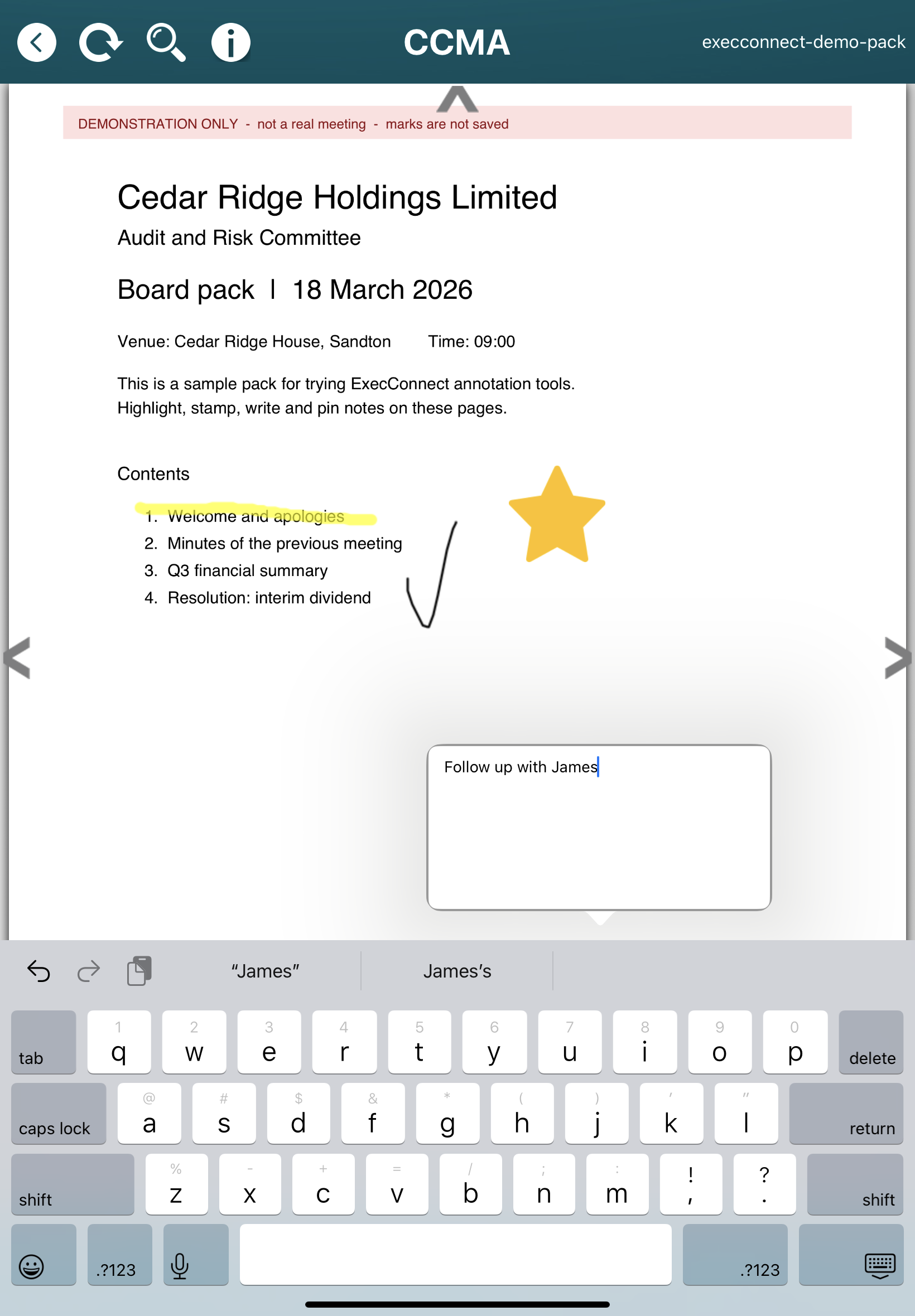
Open the pack in the room, on the plane, or at home. Your annotations are private to you. The same marks you add on iPad are the ones you see in the web viewer, and the other way around. Other participants do not see them.
| In the room | What it gives you |
|---|---|
| The pack in front of you | An iPad sits on the table like a paper pack, without a tower of printed files or a laptop lid between you and the chair. |
| The same tools | Pen, highlighter, text, sticky notes and stamps on the page. Those marks stay yours, and they follow you between iPad and web. |
| Offline | Download the pack before you travel or before you walk into a venue with poor Wi-Fi. Work stays on the device until it can sync. |
| One meeting record | Agenda items, documents and votes still sit on the same meeting the secretariat built on desktop. |

| Where | Role |
|---|---|
| Desktop or laptop browser | Administrators create meetings, upload packs and manage access. Participants can also review and add their own annotations in the web viewer. |
| iPad app | Participants read and mark up the pack in the meeting. Your notes on iPad are the same private notes you see on the web. |